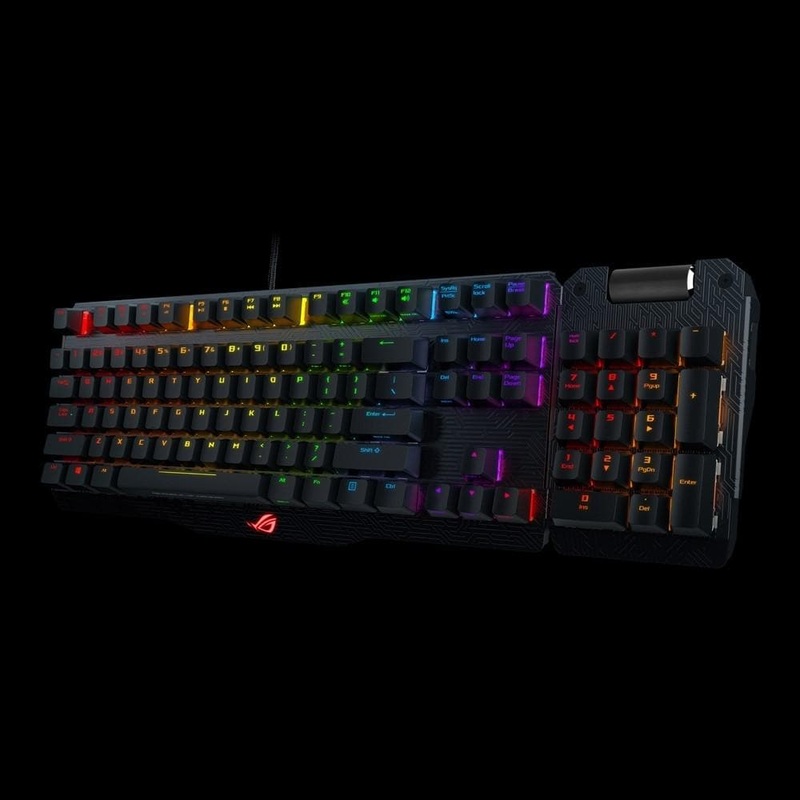
RGB mechanical gaming keyboard with Cherry MX RGB switches, fully programmable keys and Aura SyncConnectivity TechnologyWired, USB 2.0OS SupportWindows 10Windows 8.1Dimensions360 x 145 x 45 mmWeight770 g with cableContents1 x Claymore Core keyboard1 x USB

RGB mechanical gaming keyboard with Cherry MX RGB switches, fully programmable keys and Aura Sync
Profile switch:
Fn + 1/ 2 / 3/ 4/ 5/ 6: Profile 1 – 6 (6 is default profile)
Lighting effects switch:
Fn + Right or Fn + Left
Brightness level:
Fn + Up: Brightness up (5 levels)
Fn + Down: Brightness down (5 levels)
Color customization:
Fn + Delete: Red increase (10 levels)
Fn + End: Green increase (10 levels)
Fn + PageDown: Blue increase (10 levels)
ROG SYNC (sync Aura lighting effects between Claymore and Aura-enabled mouse):
Fn + PrintScreen
*Only available when Armoury software is activated.
*Synchronization will take about 10 seconds.
Motherboard fan speed control:
Fn + “+” or Fn + “-“
*Only available when Fan Xpert software and Armoury software are activated.
On-the-fly macro recording:
Step 1: Fn + Right-ALT to start recording
Step 2: Fn + Right-ALT to end recording
Step 3: assign Macro Key
Windows key lock:
Fn + Windows key
*Not available under Armoury software Claymore lighting page.
Repeat acceleration:
Fn + F1: 1X
Fn + F2: 2X
Fn + F3: 3X
Fn + F4: 4X
Overclocking & Booting-up Hot Keys (ROG KeyBot II S5 mode)
Boot-up: Long press on ENTER
Boot-up and overclock CPU: Long press F11
Boot-up and overclock memory: Long press F12
Boot-up and enter BIOS: Long press DELETE
Clear CMOS: C + L + R
*Please plug keyboard to the dedicated USB socket found on your ROG motherboard.
*Only available when KeyBot II software is activated and switched on.


Copyright © 2026 .All Rights Reserved.Powered by www.outerwearstoreh.com

Reviews
There are no reviews yet.